Did you know that what began as pixel play grew into a global scene where programs like Photoshop and Procreate shape careers and markets?
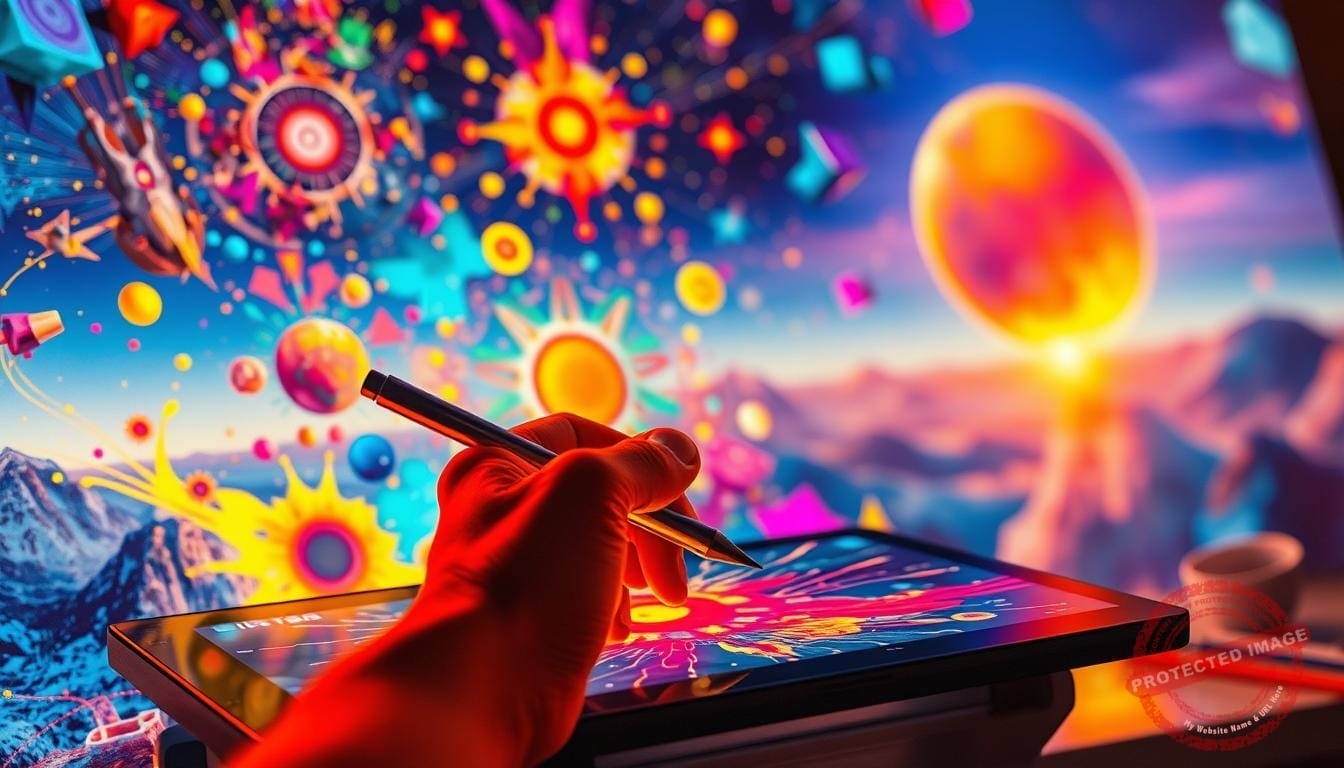
I first felt technology act like a new kind of brush. Using a Wacom tablet and After Effects, my hands found ways to tell stories that felt true to me.
This guide shares my process from idea to finished piece. You will learn practical steps to generate ideas, protect time for play, and build work that grows over years.
I balance experimentation with structure so students, kids, and adult beginners can follow along. I also show how to use common programs and hardware without losing your voice.
Visit our Mystic Palette Art Gallery to see examples of this work. For custom requests or inquiries, please contact us.
Key Takeaways
- Digital tools can extend your hand and eye rather than replace them.
- I offer a clear, step-by-step path from mindset to finished pieces.
- Balance play and routine to support long-term growth for artists and students.
- Practical use of programs and hardware makes work accessible to kids and adults.
- See examples at Mystic Palette Art Gallery and reach out for commissions.
Why I Create: A Warm Welcome to My Digital Canvas
I make images to turn memory and feeling into something others can feel without words. My practice honors art as a place for open exploration and gentle risk. This is how a private moment becomes visible expression and a shared experience.
Before I begin, I sit with music, breathe, and ask one clear question. A short sketch journal keeps me honest on hard days. Those quiet rituals guide the way I choose color, line, and small narrative beats.

Teaching students, kids, and children showed me how play sharpens problem solving. Critique taught me to listen first, then adjust to protect the idea’s heart. Over time, this work shaped my patience, empathy, and practical skills as an artist.
- Intentional routines conserve creative energy and prevent burnout.
- Constraints clarify form and speed decisions.
- Stories guide design choices and keep purpose alive.
If you want a unique piece rooted in your story, for custom requests or inquiries, please contact us. Celebrate small wins—your timeline is yours to honor.
Fostering Creativity in Digital Art
My studio habit is to begin with a tiny mark and let questions grow from there. That small start turns fear into curiosity and opens a clear path toward ideas.
My three guiding principles: play, process, progress
Play loosens the hand: warm-up drawing drills, a five-minute free-sketch, and a quick palette test for color.
Process gives structure: set a constraint, explore three concepts, choose one north-star reference, then do a timed first pass.
Progress tracks skill growth with daily ten-minute drills, value scales, and silhouette sketching.
From blank screen to bold ideas: how I start
I use software layers as a safety net. Tiny marks become forms, and iteration stays joyful with a simple naming rule: project_v01_date.
| Anchor | Starter Action | Student Habit |
|---|---|---|
| Play | 5-min free sketch, palette test | Daily doodle, 3 color picks |
| Process | Set constraint, pick north-star | 5 thumbnails, pick 1 |
| Progress | Timed first pass, feedback loop | Value scale practice, note learnings |
Example: start with tiny marks, use layers to reduce risk, then grow shapes into a clear composition. Technology is a tool that speeds iteration but does not replace seeing and understanding form.
Setting Up for Flow: Tools, Software, and Hardware That Liberate Imagination
I build a workspace that removes friction so I can focus on making. Good choices about tools and software let me move from idea to result without interruptions.
My go-to programs match intent: Photoshop for painting and compositing, Procreate for quick sketches on the go, Illustrator for vectors, and Corel Painter when I want traditional-media texture. After Effects joins when motion or compositing matters.
Quick match of programs to tasks
| Program | Best for | Export |
|---|---|---|
| Photoshop | Painting, compositing | JPG, PNG, PSD |
| Procreate | Sketching, speedwork | PNG, PSD |
| Illustrator | Vector design, logos | SVG, PDF |
| Corel Painter | Traditional texture | PNG, TIFF |
Hardware, settings, and beginner routes
I prefer pressure-sensitive tablets, ergonomic styluses, and color-calibrated monitors for true line feel and accurate color. I set pen pressure curves, smoothing, and stabilization to match my hand.
- Starter app: Sketchpad by Sketch.IO launches in a browser, needs no signup, and exports JPG/PNG/PDF/SVG—great for kids and students.
- Maintenance: Keep drivers updated, calibrate color, and back up files to avoid lost sessions.
- Ergonomics: Watch chair height and wrist angle; use short timers for breaks.
Decision rule: pick the tools you’ll use daily. A simple setup beats a perfect but unused shelf of gear. Let technology serve your art, not distract from it.
Idea Alchemy: Techniques I Use to Spark Original Concepts
I build mini challenges that force unexpected choices and quick decisions. These constraint games move me from stuck to curious and teach useful habits to students and kids.
Constraint games, prompts, and world-building seeds
Try this starter: define a place, pick one odd physics rule, name a cultural motif, then sketch three artifacts that could exist there. The rule narrows scope and frees invention.
Mood boards, color scripts, and reference with intention
I assemble mood boards with tagged references—lighting, texture, pose—so each image teaches rather than tempts me to copy. I use simple programs and boards to collect cues and note what I’m borrowing: structure, not surface.
- Constraint games: limited palettes, subject mashups, 20-minute prompt sprints (example: three thumbnails + reflection).
- Tools: randomizer decks, shape language drills to grow design skills and visual vocabulary.
- Habit: separate inspiration folders and clear credit notes to keep ideation clean.
“Originality grows from combinations—mix what moves you into something only you could make.”
From Pixels to Pieces: My Step-by-Step Creative Workflow
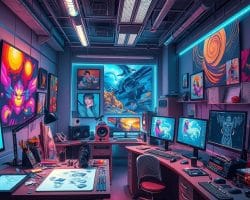
My workflow turns rough gestures into finished pieces through clear checkpoints and small wins. I use non-destructive layers and deliberate versioning so experiments never erase strong choices.
Sketch, iterate, and refine
I start with gesture sketches, quick value comps, and a clean line pass on separate layers. Progressive paint passes build form while I freeze snapshots at milestones.
Version rule: use clear filenames, keep forks for risky experiments, and save checkpoints at 25%, 50%, and 90% of the work.
Color, light, and texture
I rely on brush sets that mimic real media: oil-like edges for weight, watercolor washes for atmosphere, and charcoal for grit.
Lighting follows big value shapes first, then rim, bounce, and small accents to tune color and material.
Finishing touches and handoff
Export checklist: color space, resolution, and file type. JPG/PNG for web; PDF/SVG for vectors; keep layered PSDs for animation handoff.
Print prep needs bleed, CMYK checks, and soft-proofing. For animation, name and group layers for a smooth pipeline.
“Small checks and clear files save time and protect creative risk.”
If you want bespoke pieces or animation-ready assets, for custom requests or inquiries, please contact us. Visit Mystic Palette Art Gallery to see process-driven outcomes.
Blending Traditions: How I Mix Hand-Drawn and Digital Techniques
My hybrid process begins with a confident pencil line and ends with pixels that keep the same hand. I start by doing a loose drawing so the original energy carries through each stage. This approach makes each piece feel honest and alive.
Scanning, inking, and painting hybrids
Scan clean: use high-resolution scans and a neutral light to capture paper tooth and line weight. Choose pens and ink that scan dark without bleeding.

I ink or paint over scans on separate layers. I keep edges crisp and remove dust with targeted touchups so the finished pieces don’t look over-polished. My painting passes add light, color, and texture while honoring the drawing’s form.
- Materials: smooth paper, pigmented ink, and archival pens scan best.
- Techniques: align layers, clean dust, preserve stroke edges.
- Skills: daily analog drills—line control and ellipses—translate into stronger digital strokes.
For kids and children, I suggest tracing simple shapes, photographing or scanning, then trying color layers without mess. When something needs depth or wash, I keep analog longer; for layout fixes I move to pixels early.
“The tool never makes the work—your choices and care do.”
- Mini checklist for print: 300 DPI, texture retention, and test proofs.
Learning to Learn: Building Skills, Critique Habits, and a Growth Mindset
Learning is a steady rhythm of small practice loops, honest review, and gentle adjustment. I map short micro-practices that fit into busy days so students and kids can see steady gains without long, discouraging sessions.
Micro-practices for line, proportion, and expression
I use daily drills: ten-minute line runs, five-minute proportion studies, and brief expression sketches. These short bursts build technical skills and visual habits over weeks.
Students set small targets, track time-on-task, and note one clear change after each session. That tracking turns fuzzy hope into measurable progress.
Constructive critiques and gallery-style reviews
Critiques follow a tight format: prompt, evidence, and a single suggestion. I teach students to give feedback that cites what works, then suggests one testable change.
- I show how classes and programs structure reflection: what worked, what didn’t, and one tweak for next time.
- For kids and children I use playful constraints, visible progress boards, and short review windows to keep reviews kind and useful.
“Small, kind iterations win over grand, rare pushes.”
For guided practice and structured lessons, I recommend exploring Procreate practice programs that pair micro-practice with critique. Honest repetition teaches understanding and builds the confidence to experiment again.
Creativity in the Classroom and Studio: What I Teach Kids, Students, and Beginners
Each session starts with a short prompt that turns a blank screen into a deliberate puzzle. I use tight constraints so students make choices fast and learn problem-solving by doing.
Project ideas that build problem-solving and critical thinking
I outline simple project arcs: character redesigns, small game assets, and mini environment scenes. These projects teach students to break problems into steps and to test one idea at a time.
Safe, mess-free exploration: why parents and teachers love programs
Programs like Sketchpad by Sketch.IO let kids start without installs and export to JPG, PNG, PDF, SVG. Parents and teachers praise no mess, fast iteration, and easy sharing.
Art classes that nurture emotional intelligence and collaboration
I structure classes with duo critiques, group murals, and shared mood boards. Students learn respectful feedback, empathy, and how images affect viewers.
- Critical project: analyze a reference, list three design choices, then propose one alternative with reasons.
- Quick projects: 30-minute color study; one-hour still life with shape simplification.
| Week | Focus | Goal |
|---|---|---|
| 1 | Drawing fundamentals | Line and form |
| 2 | Values | Read light |
| 3 | Color | Palette choices |
| 4 | Polish | Present work |
“We’ve seen confidence rise, stronger problem-solving skills, and curiosity that carries into other subjects.”
Safety note: teach children crediting, privacy-aware posts, and kind commenting. Those norms keep online sharing safe and supportive.
Beyond the Canvas: Animation, 3D, Vector, and Emerging Mediums
Choosing whether to paint, animate, or model starts by asking where the work will live. That question guides my choice of mediums and helps match story to output.
Choosing the right medium for your story
Painting suits mood, texture, and concept work. It excels at atmosphere and fine color nuance.
2D animation brings character and rhythm. Use it for short loops, GIFs, or narrative beats that need timing.
3D modeling adds volume and interactive use—low-poly props or full models for games and product design.
Vector & pixel art offer clarity and scale. Vectors work for icons and motion; pixel art sells nostalgia and clarity on tight palettes.
- I pick medium by audience, platform, and timeline, then match scope to resources and software.
- Design rules that travel across mediums: silhouette clarity, value hierarchy, and visual rhythm.
- Starter paths for students, kids, and children: looping 2D GIFs, low-poly 3D props, or vector icon sets.
“Define a minimal viable piece, ship it, then scale after you learn from real reactions.”
Software pairings: Illustrator → After Effects for motion; Photoshop textures for 3D. For small teams, choose lightweight tools that cut friction and encourage finishing.
The Bigger Picture: Technology’s Impact on Artists and the Art World
Technology has widened the gallery walls, letting small studios reach global audiences overnight. Social platforms like Instagram, Pinterest, and Behance democratized exposure and reshaped how work travels across the world today.
I map the clear impact on artists: visibility without gatekeepers, more sales paths for prints, downloadable files, and NFTs, and virtual galleries that offer global reach for single pieces.
AI, AR, and VR as creative partners
These tools speed parts of my process — ideation, repeatable tasks, and prototyping immersive shows — while I keep authorship and intent central. AR and VR stage interactive experiences that expand the possibilities for viewers and creators alike.
I also watch practical details: file specs, editioning, archival prints, and thoughtful licensing. Programs that teach pricing and contracts help students learn the business side early.
Practical notes and sustainability
There are real sustainability upsides — less physical waste and fewer test prints — but mindful rendering and energy use matter. I protect focus with posting systems, curated portfolios, and communities that reward good feedback.
“Honor craft and welcome new mediums; protect your time — attention is your most valuable studio resource.”
For a wider view on this evolution, see the evolution and impact.
See My Work Up Close: Visit Our Mystic Palette Art Gallery
Explore a virtual gallery where every piece carries a short story and layered process notes.
Tour current digital paintings, animations, and mixed-media pieces
I invite you to browse curated collections by theme—color moods, narrative series, and design studies that show intent and method.
Each work includes process notes: sketches, layer breakdowns, and the tools or programs I used to shape the final piece.
For custom requests or inquiries, please contact us
- I offer educator guides and children-friendly tours that make viewing a learning moment for kids and students.
- Commission options range from personal portraits to branding design; I outline timelines, deliverables, and file specs.
- Practical details: archival print formats, animation-ready exports, and care instructions for display are listed per work.
- See selected studio tool lists and brush sets beside pieces so fellow creators can learn from my process.
Visit our Mystic Palette Art Gallery to explore collections or review process-driven pieces. For bespoke work or collaborations, reach out and we’ll scope your project together.
high-quality digital art from photo
Conclusion
I close this guide by inviting you to keep a small, steady practice that grows big results over time.
I recap the path we walked: mindset, idea seeds, workflow, and finishing checks so students can see how small steps build real skills and sustained creativity.
Today the possibilities are wide. Approachable tools, generous communities, and hybrid methods make projects and classes more doable. Pick a way that fits your schedule and keep creating art a habit.
Be kind to yourself: make time, celebrate wins, learn from stumbles, and share work for feedback. I thank readers of all ages — kids, children, and the child at heart — for showing up.
I honor the global community of digital artists who inspire this work. Visit our Mystic Palette Art Gallery. For custom requests or inquiries, please contact us.
FAQ
What do you mean by "My Artistic Journey: Fostering Creativity in Digital Art"?
I describe how I moved from traditional drawing to using tools like Photoshop and Procreate, and why those changes shaped my process and voice. I share moments, techniques, and projects that helped me grow as an artist and maker.
Why do you create and what can I expect from your digital canvas?
I create to explore ideas, tell stories, and connect with people worldwide. Expect vibrant work that balances play and craft, with pieces that range from quick studies to polished prints and animations.
What are your three guiding principles: play, process, progress?
Play keeps my ideas fresh; process gives structure so I can iterate; progress is the steady improvement I track through daily practice and finished projects. Together they keep my work moving forward.
How do you start when facing a blank screen?
I begin with a prompt, a quick thumbnail, or a mood board. I limit choices early — a color palette or a simple shape — then sketch loosely until an idea sticks.
Which programs do you use and when do you choose each?
I use Photoshop for photo-based composites and heavy editing, Procreate for fast sketching and painting on iPad, Illustrator for clean vectors and logos, and Corel Painter when I want brushes that mimic oil or watercolor textures.
How do I pick tablets, styluses, and monitors that feel right?
Try to match the tool to your hand: a textured display like a Wacom Cintiq or iPad with Apple Pencil feels closer to paper, while a large monitor with a pressure-sensitive tablet gives more screen real estate. Comfort and responsiveness matter most.
What starter-friendly apps do you recommend for kids and beginners?
I often suggest Sketchpad by Sketch.IO, Autodesk SketchBook, and Tayasui Sketches for simple interfaces and fun brushes that encourage exploration without overwhelm.
How do you spark original concepts using technique and prompts?
I use constraint games, random prompts, and world-building seeds. Limiting elements—like a single color or a fixed shape—push me to find novel solutions and richer ideas.
How do mood boards and color scripts enter your workflow?
I gather reference images and color swatches to set tone and emotion. A short color script helps me plan shifts in light and mood across a piece or a sequence.
What is your step-by-step creative workflow from sketch to final piece?
I sketch thumbnails, refine a chosen idea, block in color on separate layers, add lighting and texture, and iterate with non-destructive edits. I keep versions so I can return to earlier choices.
Which brushes and methods help mimic traditional media digitally?
I mix textured brushes, smudge tools, and opacity variation to simulate pencils, inks, and paint. Layer blending modes and custom brush settings let me recreate grain, brushstrokes, and paper feel.
How do you prepare files for print or animation?
I export high-resolution TIFF or PSD for print, using 300 DPI and CMYK when needed. For animation, I work in layered PSDs or compatible animation timelines and export sequences or video files at the correct frame rate and codec.
How do you combine hand-drawn work with digital techniques?
I scan sketches at high resolution, clean lines in Photoshop, then paint and layer digitally. Sometimes I ink on paper, scan, and add color or effects on the tablet to keep the handmade energy.
What micro-practices help improve line, proportion, and expression?
Short, focused drills — daily gesture sketches, timed studies, and simplified shape exercises — build muscle memory and visual judgment quickly.
How do you structure constructive critiques and gallery-style reviews?
I set clear goals, ask specific questions about composition and storytelling, and invite peers to comment on choices rather than personal taste. I use a mix of peer review and mentor feedback to refine work.
What projects do you teach kids and beginners to build problem-solving skills?
I assign small, layered projects: character design with constraints, collaborative murals, and short animation loops. Each project focuses on decision-making, iteration, and presentation.
Why do parents and teachers prefer digital tools for early art education?
Digital tools are low-mess, easy to correct, and encourage experimentation. They let children explore materials and color without waste, while teaching useful tech skills.
How do your classes nurture emotional intelligence and teamwork?
I design group tasks that require communication and reflection. Students give positive, specific feedback and learn to express ideas clearly while respecting others’ perspectives.
How do you choose the right medium for a story: painting, 2D animation, 3D, or pixel art?
I match medium to intent: painting for mood and texture, 2D animation for character motion, 3D for spatial storytelling, and pixel art for retro charm or tight constraints. The story and audience guide the choice.
How has technology changed markets and opportunities for artists?
Platforms like Instagram and Etsy open new galleries and revenue streams for prints, commissions, and digital files. NFTs, while controversial, offer another way to sell limited digital editions.
What role do AI, AR, and VR play in your practice?
I use AI tools and AR/VR as collaborators for ideation, prototyping, and immersive presentation. They expand possibilities without replacing the human choices that make work meaningful.
Can I see your work in person or request a commission?
Yes. I show pieces in local galleries and online portfolios. For commissions or custom pieces, I provide clear briefs, timelines, and file options so the final work fits your needs.