Surprising fact: studies show that viewers notice subtle texture cues before color, and that detail can change a scene’s emotional pull by over 40%.
I share my workflow so other artists can borrow practical tips and skills. I started by treating truthful observation as a living language of art. That idea guided how I sketched and where I placed light and shadow.
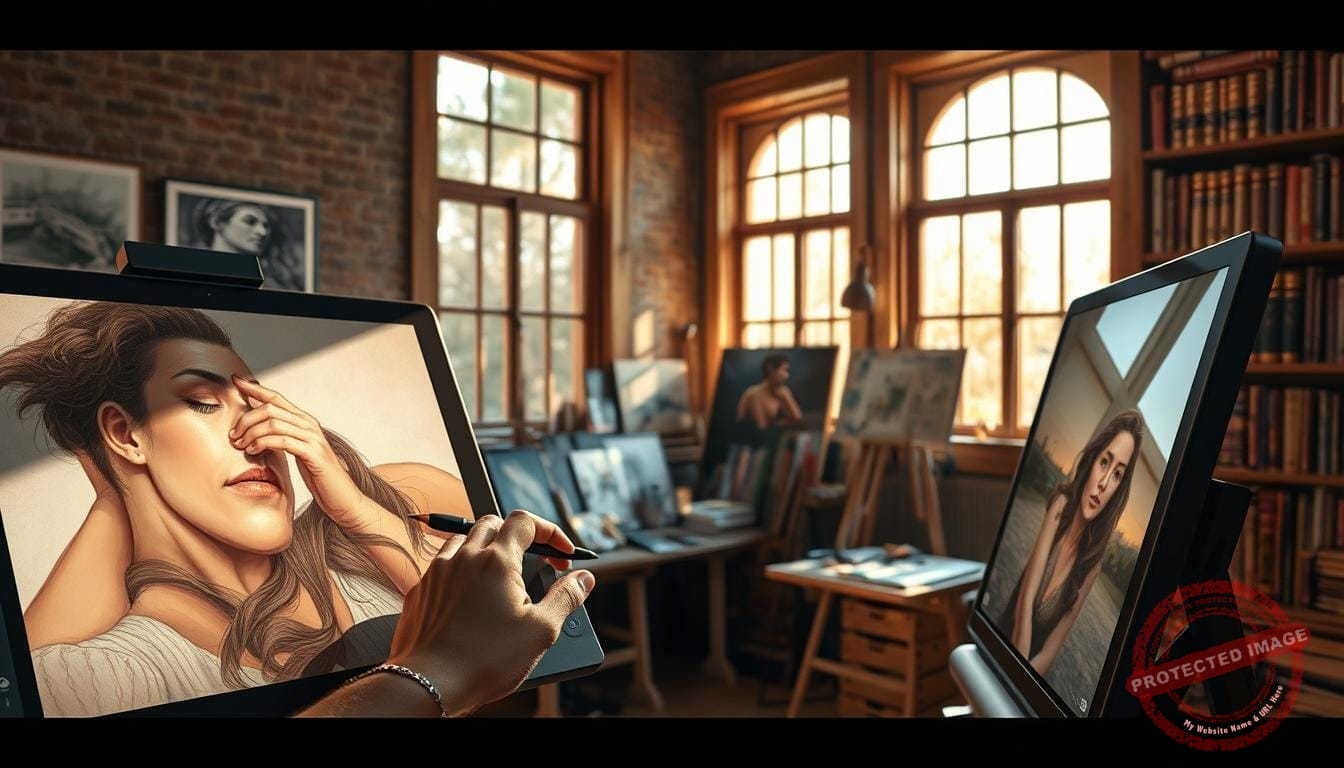
I use pressure-reactive brushes that mimic pencil behavior: light pressure softens strokes; heavier pressure brings sharp, dark lines. A quick sketch and a dedicated value pass lock composition and lighting early. This saves time and sharpens focus before I add texture or color.
My goal is not exact copying but an emotional honesty that gives life to the artwork. I invite you to visit our Mystic Palette Art Gallery to see finished pieces and process breakdowns. For custom requests or questions, please contact me — collaboration keeps my work growing.
Key Takeaways
- Start with quick sketches and a value pass to set light and composition.
- Use pressure-sensitive brushes to mimic pencil and keep a warm, hands-on feel.
- Guide the viewer with intentional marks, not extra detail for its own sake.
- Focus on mood and story rather than strict photoreference.
- Small process shifts often yield big gains in speed and expression.
Why Realism Matters in My Digital Art Journey
What changed my art was a decision to favor mood and human presence ahead of perfect photographic copy. That shift made my work clearer and more intentional.
I define realism as commitment to believable elements—light, texture, and proportion—that give images a sense of life. I avoid chasing camera-perfect replication.
My boundary with photorealism is simple: I want a piece that breathes, not a pixel twin. This lets the artwork serve story and mood rather than technical mimicry.
Small choices in lighting and edge control transform how a viewer connects. Subtle value shifts can push an image from flat to alive.
- Priorities: value grouping, edge control, texture contrast.
- Where to spend time: composition, values, narrative focus.
- Outcome: expressive images that carry life and intent.
| Priority | What I Focus On | Why It Helps |
|---|---|---|
| Composition | Value groups, focal hierarchy | Guides the eye and supports story |
| Texture | Targeted contrast, subtle grain | Adds tactile life without noise |
| Lighting | Intentional key and fill choices | Shapes mood and viewer connection |
Achieving realism in digital drawings: the foundation I rely on

A compact sketch and a quick value pass give me a reliable roadmap for the whole piece. That small investment of time saves hours later when balancing color, value, and details.
Planning the piece: sketch, values, and intent before detail
I start with a loose drawing that locks big shapes and the emotional intent. This keeps my focus tight and stops me from wasting time on trivia.
I follow with a fast value pass to set light direction and contrast. Early shading acts as a guide, not a finished surface.
Tracking time and staging work — sketch, values, block-in, paint-over — lets me see results before committing to polish.
My step-by-step: from loose sketch to refined paint-over
- I block major shapes with a simple drawing to preserve focus on composition and story.
- I add a value map to decide shading and how light will shape forms.
- I block in color on top of values so light drives the palette rather than the other way around.
- I use iterative tools and gentle brushes to stay nimble and avoid over-rendering too early.
- I document small choices so I can reproduce good results on future illustrations.
- I finish with a refined paint-over that unifies edges, textures, and lighting while keeping the sketch energy.
For a quick look at how attention and detail shape learning and perception, see this learning science on attention and detail.
The Tools, Brushes, and Textures I Choose for Natural Results
My choice of tools shapes how a piece breathes from first stroke to final polish. I favor simple, intentional materials that let my hand show through and guide the viewer’s eye.
Pencil-like brushes that respond to pressure and spread
I rely on pressure-sensitive brushes that mimic pencil behavior. The Intoxicate Pencil Set (Clip Studio Assets ID 1740419) is a go-to because light pressure spreads the stroke while firmer pressure tightens lines.

This gives my lines life and keeps my illustration lively rather than mechanical.
Paper grain and Multiply layering to add tactile depth
I add paper grain via a Multiply mode layer. Placing the grain above or below the paint changes the tactile read, so I switch the order until the texture feels right.
The result is subtle, tactile interest that ties washes and marks together.
Working large: why scale improves blending and detail
I work at larger sizes — 16×19, 18×24, 24×36 — because blending looks smoother and micro-texture survives resizing. Scale helps preserve natural transitions and believable micro-variations.
- I pick tools that feel analog so my lines breathe and results stay expressive.
- I test brushes on a mid-gray ground to check value and edge behavior.
- I save presets for block-in, texture work, and edge refinement to keep flow steady.
| Item | Why I Use It | Effect |
|---|---|---|
| Intoxicate Pencil Set | Pressure spread and tight lines | Natural, pencil-like lines |
| Paper texture (Multiply) | Embedded grain above/below paint | Tactile depth and cohesion |
| Large canvas sizes | Smoother blending and detail | Cleaner transitions at viewing scale |
In short: I keep materials limited but purposeful — a core brush set, one reliable paper texture, and a handful of edge tools. Those choices help me reach consistent, natural results while keeping the work warm and human.
Stroke, Washes, and Pressure: Building believable form
My marks start as clear decisions: a stroke to lock shape, a wash to build mass, and pressure to refine tone.
I use lines sparingly to define edges and let washes carry most of the shading. This keeps the piece readable and soft where it should be.


Texture plays a quiet role: I let paper-like grain peek through washes so surfaces feel tactile, not flat. I vary pressure to move from airy washes to crisp contours without undoing the form.
“Technique choices shape mood: tight strokes push drama; broad washes invite calm.”
- I broke form-building into stroke for structure, washes for volume, and pressure for control so the final work reads naturally.
- I alternate stroke directions to avoid banding and to weave subtle texture across planes.
- I keep most detail near the focal point and relax other areas to guide the viewer’s eye.
- I test transitions by changing pressure in a single pass and watch the brush’s texture bloom to describe form convincingly.
| Element | Role | Effect |
|---|---|---|
| Stroke | Locks edges | Structure and focus |
| Washes | Fill mass | Soft volume and texture |
| Pressure | Tunes weight | Subtle planes and detail |
Small choices with brushes and controlled pressure raised my ability to suggest depth while keeping the art alive and the viewer engaged.
Light, Color, and Perspective: Core elements that sell realism
A clear lighting plan lets me sculpt volume before I add any fine texture. I design light first because shadows and highlights create form faster than any later polish.
Designing light and shadow for volume and mood
I map key and fill so surfaces read as volumes. I choose which planes get strong contrast and which stay soft to guide the eye.
I add small secondary lights—reflected rims and soft occlusion—to increase depth without clutter.
Color decisions that support the lighting scenario
I treat color as a function of light: temperature, intensity, and bounce drive palette choices.
I tune keys warmer or cooler and let fills balance materials and skin tones. Subtle value shifts matter more than saturation for believable painting and illustration.
Perspective cues for depth in characters and backgrounds
I lock consistent vanishing points and scale relationships early. That prevents tangents and keeps characters anchored to the background.
Big value groups come first, then selective texture where it helps material identity. I use a soft gradient brush for atmosphere and a harder brush for crisp edges.
“Convincing scenes start with light that tells a story, then color and perspective confirm it.”
- I design lighting first to define volume and mood.
- I make color serve the light scenario rather than compete with it.
- I build perspective cues into both figures and environment for believable depth.
| Core Element | How I Use It | Effect on Scene |
|---|---|---|
| Light | Key, fill, secondary reflections | Defines volume and mood |
| Color | Temperature tied to light; controlled saturation | Materials read naturally; skin and cloth feel alive |
| Perspective | Vanishing points, scale, atmospheric fade | Depth feels consistent and believable |
My Process Creating Realistic Scenes: Sketch, 3D Block‑In, and Paint‑Over
I begin with a quick composition and value map so light and color stay anchored to a clear plan.
Next I use Blender to block buildings and core shapes. That simple 3D base matches angles from my sketch and saves time on perspective fixes.
I export the block-in and paint over in Adobe Photoshop. There I refine edges, layer texture, and tune materials. I test effects like smoke or rain, and I remove anything that hurts lighting or character readability.
How I keep the piece tight and readable
- Small, consistent toolset: one brush for block-in, one for texture, one for crisp edges, a couple for glazing.
- I check values in grayscale to confirm light and tonal hierarchy before pushing color.
- I toggle 3D visibility to preserve a hand-painted feel and to keep characters placed correctly on the perspective grid.
- I trim effects that distract from the narrative and focus on decisive lighting to sell form.
| Stage | What I use | Result |
|---|---|---|
| Block-in | Blender | Accurate background angles |
| Paint-over | Photoshop, brushes | Refined edges and texture |
| Checks | Grayscale, toggle layers | Clear light, coherent color |
“Deliberate steps and a small toolset let the light and story lead the painting.”
My process keeps details focused where they matter and gives the character room to read. The result is readable images that support realism without overworking the piece.
Details, Edges, and Textures: From portraits to environments
Edges and texture choices decide what a viewer notices first and what they remember. I treat edge control as a map for attention. Sharp transitions hold focal weight; soft breaks suggest depth.
Soft vs. hard edges: guiding the eye
I reserve the sharpest edges around a subject’s face or key props in a portrait. Elsewhere, I ease edges to keep the scene readable and calm.
Soft edges imply form without fighting the focal area. Hard edges pull the eye and define planes.
Material reads: skin, fabric, metal, and atmosphere
I build textures in layers: broad patterns first, then targeted micro-detail. That keeps illustrations clean and legible.
- Skin: soft subsurface scattering and tiny pores suggested with scattered brushes.
- Fabric: fold logic and woven grain to sell weight and motion.
- Metal: crisp, value-driven highlights that match the light source.
- Atmosphere: haze and fine particulate textures to separate planes.
“I ask what each mark gives the story; restraint is part of the craft.”
| Element | Technique | Effect |
|---|---|---|
| Skin | Layered grain, subtle scatter | Natural warmth and soft form |
| Fabric | Macro folds then micro-weave | Clear weight and readable pattern |
| Metal | High-contrast highlights | Reflective, material clarity |
| Atmosphere | Soft gradients, particulate | Depth without noise |
Common Mistakes I Avoid—and How I Self‑Critique
Midway through a piece I audit choices so the final image stays clear and focused. I look for marks that dilute structure or distract from the main read.
My goal is to keep form strong while letting mood carry the scene. That means I remove effects, like a rain layer, when they steal attention.
Over-smoothing shading and losing structure
I watch for over-smoothing because heavy blending can flatten planes. Instead, I preserve edge variety and grain so shading holds shape and life.
Neglecting focal hierarchy in busy illustrations
I group values and simplify noisy areas so the eye finds the subject fast. This lets texture support materials rather than become a pattern that fights form.
“A quick mid-process check keeps small errors from becoming big problems.”
- I pause at set time checkpoints for fresh eyes and to catch tangents.
- I ask whether each move improves the results or just shows my skills.
- I compare passes side by side and prune ideas that harm clarity.
- I keep a short checklist—structure, value, edges, hierarchy—to critique quickly, like many artists do.
| Issue | What I do | Benefit |
|---|---|---|
| Over-smoothing | Restore edge variety and local texture | Preserves form and depth |
| Busy areas | Group values, simplify details | Clearer focal hierarchy |
| Distracting effects | Remove or tone down layers | Tighter focus; better results |
Visit the Mystic Palette Art Gallery and Connect with Me
My gallery collects both final images and the steps that shaped them, so you can study craft. I show finished artwork beside process pieces to make the method clear and useful.
See finished artwork and process pieces at Mystic Palette
I organized illustrations by theme so you can follow how light, color, and texture evolved from sketch to final painting.
You’ll find sketch sheets, value studies, 3D block-ins, and Photoshop paint-overs with texture layering. Captions include quick tips that link planning to polish for artists who want practical notes today.
For custom requests or inquiries, please contact us
I welcome collaboration and custom commissions. If you like a piece or want a tailored illustration, contact me and we’ll shape a brief together.
- I keep response times prompt and outline timelines from sketch approval to final handoff.
- Browse posts that unpack what I kept, what I cut, and why each choice improved the work.
- Explore examples across characters, environments, and portraits to see the approach adapt.
“Visit the gallery to see how planning and self-critique turn simple marks into lasting artwork.”
| Stage | What you’ll see | Benefit |
|---|---|---|
| Sketch | Loose ideas and value maps | Clear intent and faster decisions |
| 3D block-in | Angle and perspective checks | Saves edits later |
| Paint-over | Final texture and color | Polish that keeps life |
Conclusion
What matters most is a repeatable routine that keeps vision and craft aligned. I found strong results by starting with sketch and values, adding an optional 3D block‑in for perspective, then finishing with a focused Photoshop paint‑over and clear texture layering.
I keep my tools lean and let textures support form rather than fight it. Small, consistent steps lift drawings into convincing pieces while protecting spontaneity and the work’s voice.
Refine your ability by finishing more pieces, pruning distractions, and guarding hierarchy. Visit our Mystic Palette Art Gallery to see process breakdowns and finished artwork. If you’re ready to collaborate, please contact us — I’d love to craft a piece that matches your goals.
FAQ
What is my artistic approach at Mystic Palette?
I blend careful observation with expressive mark-making to bring scenes to life. I start with intent, sketch core values, and then build layers that suggest texture, light, and mood. My goal is emotional truth rather than mere photographic copy.
How do I define realism versus photorealism?
I treat photorealism as an endpoint focused on exact replication. I prefer a balanced approach: I keep believable anatomy, lighting, and materials while preserving painterly brushwork and mood. That mix gives my work warmth and character.
Why does believable depiction matter to my work?
When volumes, color, and light read honestly, a piece connects faster with viewers. It anchors story and emotion, so people linger and feel something. I aim to guide that connection through choices in value, edge, and detail.
What foundation steps do I rely on for each piece?
I always plan: a loose sketch to set composition, a value pass to solve contrasts, and clear intent for the focal point. That planning shortens my revision time and keeps details purposeful rather than random.
What is my step-by-step from sketch to final painting?
I begin with a quick thumbnail, then a larger sketch with corrected proportions. Next I lock values, block in color, refine with textured brushes, and finish with targeted highlights, edge work, and subtle effects.
Which brushes and textures do I choose for natural results?
I favor pencil-like brushes for line work and textured round brushes for massing. I add subtle paper grain and overlay multiply layers to suggest tactile depth. Choosing the right brush shapes helps me mimic traditional tools.
How important is working at large scale?
Working large gives me room to blend and keep strokes expressive. It preserves detail when I downsample and reduces pixelation. For portraits and close-ups, I almost always work at higher resolution.
How do stroke, washes, and pressure build believable form?
I use pressure-sensitive brushes to vary edge weight and opacity. Broad washes establish planes; tighter strokes carve features. That contrast between loose and precise brings forms forward and adds life.
How do I design light and shadow for volume and mood?
I pick a clear light source and decide its temperature and intensity. Then I map core shadows, secondary light, and subtle reflected color. Lighting choices set the scene’s emotional tone and clarify form.
What color decisions support a lighting scenario?
I choose a limited palette that complements the light: warm keys for sunlight, cool keys for overcast or night. I layer subtle color shifts in shadows and midtones to avoid flatness and to imply atmospheric depth.
How do I use perspective cues for depth?
I block in simple perspective grids for architecture and background elements. For characters, I use overlapping planes, scale, and edge clarity to place them convincingly in space.
Why do I use 3D block-ins for environments?
Simple 3D proxies help me test camera angles and lighting fast. They save time by preventing proportion errors and help me match perspective for believable placements.
What workflow do I follow when painting over in Photoshop?
I import sketches and 3D blocks, lock values, and paint with textured brushes on separate layers. I refine edges selectively, add surface textures, and finish with color grading and subtle effects like chromatic aberration or dust.
How do I treat edges, textures, and material reads?
I vary edge softness to guide attention: crisp edges at focal points, softer edges elsewhere. For materials, I study references—skin shows subsurface scattering, fabric folds catch rim light, and metals need sharp highlights.
What common mistakes do I watch for and avoid?
I avoid over-smoothing shading, which flattens faces and bodies. I also guard against lost focal hierarchy—too much equal detail makes scenes confusing. I critique for contrast, edge clarity, and emotional read.
How do I self-critique during a piece?
I step back often, view work in grayscale, and test thumbnails of the composition. I ask whether the focal point reads, whether lights and darks support form, and whether textures serve the story.
Where can people see my finished work and process pieces?
I display recent paintings, studies, and time-lapse process reels on Mystic Palette’s gallery page. I also share behind-the-scenes notes on Instagram and ArtStation to show tools and technique.
How can someone request a custom piece or contact me?
For commissions or questions, I provide a contact form on the Mystic Palette site and respond via email. I detail timelines, reference needs, and pricing so we start with a clear plan and shared expectations.